Product Description
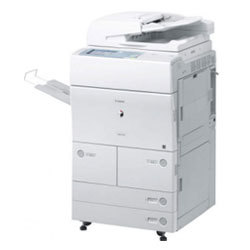
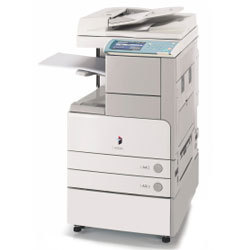
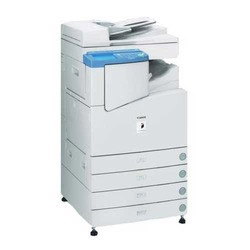
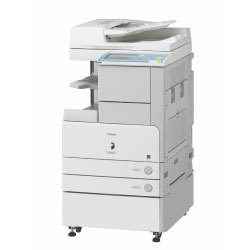
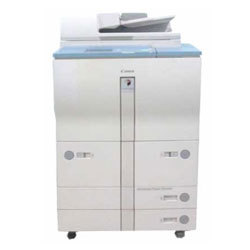
Canon iR 5065 - 5075 RC Copier Machine
Features :
- Copy Speed : 55,65 & 75PPM
- Printer : Yes
- Scanner (B/W) : Yes
- Duplex : Yes (Auto two side copiying)
- R.A.D.F: Yes(Automatic Document Feeder)
- Warm-up time : 30sec or less
- First copy out time : 3.9 sec approx
- Continues Copies : 1-999
- Maximum original size : A3
- Control penal : Colour Touch sreeen display
- Scan once print many : yes( for Power & Time Saving)
- Paper supply : Dual Cassettes (500X2)(1500X2 Decks)
- Bypass: Yes(50 Sheets)
- Power consumption : 1.80 Kw or less
- Zoom : 25 - 400% (Adjustable in 1% steps)
- Drum life : Up to 10 lakhs Copies*
Efficient Performance and Large CapacityWith a monthly duty cycle of up to 300,000 pages and a print speed reaching 75 pages per minute, the Canon iR 5065 5075 RC ensures reliable output for busy office environments. The high toner yield (approximately 52,000 pages) and fast warm-up time significantly enhance productivity and reduce downtime.
Flexible Operation and Advanced FinishingThe machines automatic duplex function conserves paper, while optional finishing features like stapling, hole-punching, and booklet making streamline workflows. Support for multiple paper sizes and adjustable zoom (25% to 400%) offers versatility in document production.
User-Friendly and Network ReadyThe large 8.4-inch color touch panel simplifies navigation, while built-in Ethernet and USB 2.0 interfaces facilitate seamless integration with existing network infrastructures. Multiple supported operating systems, including various Windows versions and optional Mac OS compatibility, meet diverse user needs.
FAQs of Canon iR 5065 - 5075 RC Copier Machine:
Q: How do I connect the Canon iR 5065 5075 RC copier to my office network?
A: The copier can be seamlessly integrated into your network using the built-in 10/100Base-TX Ethernet interface or directly via USB 2.0. Follow the manufacturers setup instructions to configure the network settings through the touch panel or your computer.
Q: What paper types and sizes are supported by this copier machine?
A: This machine accommodates a wide range of paper sizes, including A3, A4, A5, B4, B5, and custom dimensions. It supports paper weights from 60 to 128 gsm in the cassette and 52 to 220 gsm via the bypass tray, catering to varied printing needs.
Q: When should I replace the toner in my Canon iR 5065 5075 RC copier?
A: You should consider replacing the toner when print quality declines or when the device displays a low toner warning. With a yield of approximately 52,000 pages per cartridge, toner changes should be relatively infrequent under normal use.
Q: Where can I access finishing functions like stapling or booklet making?
A: Finishing options, including stapling, hole punching, and booklet creation, can be accessed directly from the copiers touch panel or printer driver (if the appropriate finishing unit is installed). These options help streamline document organization and presentation.
Q: What is the process for changing paper sizes or adjusting zoom settings?
A: To change paper sizes or adjust zoom, use the control panels intuitive interface. Paper trays can be reconfigured for different sizes, while zoom ratios can be set from 25% to 400% in 1% increments for precise scaling of originals.
Q: How does the Canon iR 5065 5075 RC benefit high-volume offices in India?
A: Its high speed, robust duty cycle, versatile finishing options, and substantial memory make the Canon iR 5065 5075 RC an excellent choice for Indian offices with demanding document workflows, reducing downtime and increasing overall productivity.









 Send Inquiry
