Product Description
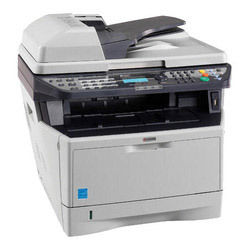
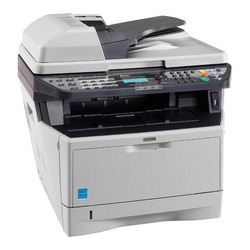
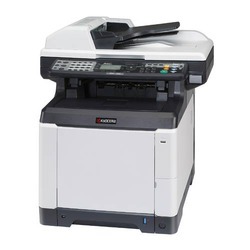
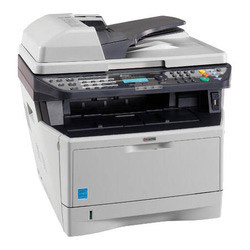
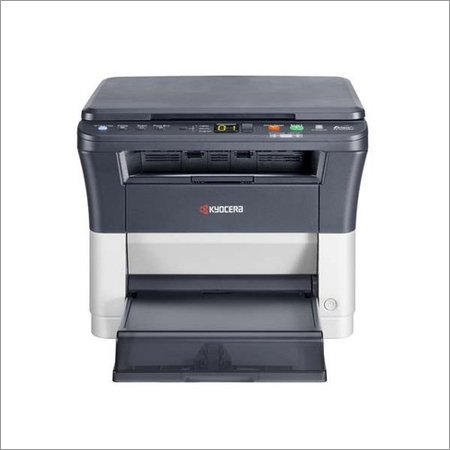
Kyocera FS 1035 Multi Function Printer
Efficiency and reliability combine with a large number of standard functionalities to make these MFPs perfect for your workgroup. The FS-1035MFP can print and copy up to a fast 35 pages per minute, while the standard duplex functionality and standard reverse automatic document feeder (RADF) reduce your paper consumption and the need for office filing space. Advanced scan functionalities make this A4 MFP an ideal addition to your digital document workflow. These highly efficient desktop A4 multifunctional printers are ideally suited for workgroups demanding high quality prints at a low cost per page.
Specification :
- Up to 35 pages per minute in A4
- Fine 1,200 dpi printing quality
- Standard duplex unit for double-sided printing
- Standard Network and USB Connectivity
- High security through SS L, IPsec and Private Print (requires additional memory) functionality
- Standard Reverse Automatic Document Feeder
- 50-sheet multi-purpose tray
- 250-sheet universal cassette
- Direct PDF Print from USB Flash memory device
- Exceptionally low printing costs in its class
Fast, Reliable PerformanceEquipped with a PowerPC 440/500 MHz processor and fast print and copy speeds of up to 35 pages per minute, the Kyocera FS 1035 MFP is crafted for efficiency in busy offices. Its robust memory and quick warm-up time contribute to minimal downtime and increased productivity.
Superior Paper HandlingWith an impressive input capacity of 600 sheets, upgradeable to 1,100 sheets, and support for a wide range of paper sizes and weights, this multifunction printer accommodates diverse office requirements. The standard duplex printing feature ensures reduced paper usage and environmental impact.
Comprehensive Connectivity and CompatibilityThe Kyocera FS 1035 offers high-speed USB 2.0 and Fast Ethernet interfaces, ensuring flexible integration into any office network. It supports a variety of operating systems, including Windows, Mac OS, and Linux, catering to different user preferences and IT environments.
FAQs of Kyocera FS 1035 Multi Function Printer:
Q: How do I connect the Kyocera FS 1035 printer to my office network?
A: You can connect the printer to your network using either the Fast Ethernet 10/100BaseTX port for wired connectivity or USB 2.0 (Hi-Speed) for direct computer connection. Refer to the printers setup guide for step-by-step installation.
Q: What types and sizes of paper does the FS 1035 support?
A: The printer accepts paper sizes including A4, A5, A6, B5, Letter, Legal, Folio, and custom sizes, with supported weights from 60 to 220 g/m. Its flexible capacity makes it suitable for a wide range of printing tasks.
Q: When should I expand the printers memory?
A: Consider upgrading from the standard 256 MB to a maximum of 768 MB if your office regularly prints large or complex documents, or if multiple users will be accessing the printer simultaneously to ensure optimal performance.
Q: Where can I find support and servicing for the Kyocera FS 1035 in India?
A: Support, servicing, and purchasing are available through authorized Kyocera distributors, importers, manufacturers, service providers, suppliers, and traders across India. Check the official Kyocera website for a list of certified partners.
Q: What is the process for using duplex (double-sided) printing?
A: Duplex printing is enabled as a standard feature. You can activate it from your print settings on your computer, allowing you to automatically print on both sides of the paper, reducing paper consumption and operational costs.
Q: How can this multi function printer benefit my office operations?
A: The Kyocera FS 1035 enhances workplace productivity through fast print speeds, reliable duplex printing, high-resolution scanning and copying, large paper capacity, and easy-to-use controls, making it an ideal solution for busy office environments.









 Send Inquiry
