Product Description
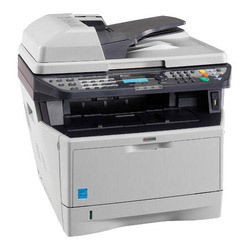
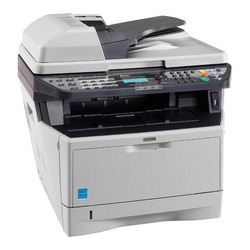
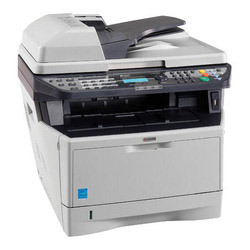
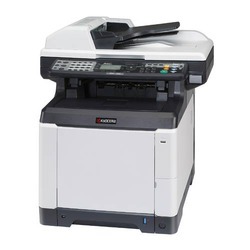
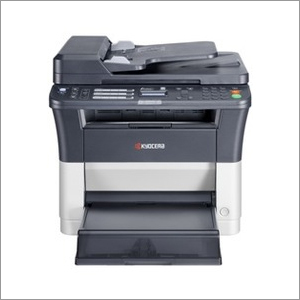
Kyocera FS 1135 Multi Function Printer
Efficiency and reliability combine with a large number of standard functionalities to make this MFP perfect for your workgroup. The ECOSYS FS-1135 MFP can print and copy up to a fast 35 pages per minute, while the standard duplex functionality and standard reverse automatic document feeder (RADF) reduces your paper consumption and the need for office filing space. Advanced scan functionalities make this A4 MFP an ideal addition to your digital document workflow. With standard network printing, copy, colour scanning and fax functions, this highly efficient desktop A4 multifunction printer is ideally suited for workgroups demanding high quality prints at a low cost per page.
Specification :
- Up to 35 pages per minute in A4
- Time to first copy: 6.9 seconds
- Double sided print, copy, scan and fax functionality as standard
- 50 sheet document processor scans double sided originals
- Up to 2 optional paper feeders for up to 800 sheets
- High security through SSL, IPsec and Private Print (requires additional memory) functionality
- Print from and scan to USB memory
- Exceptionally low printing costs in its class
- Automatic Power Off mode provides lowest power consumption
The Kyocera FS 1135 supports printing, copying, scanning, and an optional fax feature, making it ideal for busy office environments. Its automatic duplex printing saves time and paper, ensuring workflow efficiency. An LCD panel streamlines usage with clear navigation and status updates, delivering reliable performance for various document tasks.
High Performance and ConnectivityEngineered with a 500 MHz processor and 256 MB standard RAM (upgradable to 768 MB), the FS 1135 provides fast processing of complex jobs. With compatibility across Windows, Mac OS, and Linux platforms, and offering USB 2.0, Parallel, and Network connections, this device fits seamlessly into multi-user, diverse IT infrastructures.
Optimized for Productivity and Cost-EfficiencyWith a high print speed of 35 pages per minute and a robust monthly duty cycle of 50,000 pages, this printer meets demanding business needs. The standard toner yields up to 7,200 pages, minimizing intervention and reducing operational costs. Advanced paper handling accommodates up to 800 sheets and various media sizes and weights.
FAQs of Kyocera FS 1135 Multi Function Printer:
Q: How do I set up the Kyocera FS 1135 Multi Function Printer on my office network?
A: Connect the printer to your network using the 10/100Base-TX port, then install the appropriate drivers on your computers. The printer supports TCP/IP, IPX/SPX, NetBEUI, and AppleTalk network protocols for seamless integration. Follow the installation wizard for configuration and assign the printer an IP address if required.
Q: What types of tasks can the Kyocera FS 1135 perform, and which operating systems does it support?
A: The FS 1135 can print, copy, scan, and optionally fax documents. Supported operating systems include Windows, Mac OS, and Linux, ensuring compatibility with most office setups. This versatility makes it suitable for a wide variety of document processing needs.
Q: When should I replace the toner cartridge or add paper to the printer?
A: Replace the toner cartridge when the printer notifies you or when print quality declines; the standard cartridge yields up to 7,200 pages. Refill paper trays when prompted by the LCD panel, which can occur as the maximum paper capacity is 800 sheets, depending on usage volume.
Q: Where can I find service support or purchase supplies for the Kyocera FS 1135 in India?
A: Supplies, service, and technical support are available through authorized Kyocera distributors, importers, manufacturers, service providers, suppliers, and traders across India. Contact your local Kyocera partner for genuine consumables and assistance.
Q: What is the process for using duplex (two-sided) printing on this printer?
A: Duplex printing is a standard, automatic feature. When printing a document, select the duplex option from your print settings. The printer will handle the process internally, printing on both sides of each sheet to save paper without requiring manual intervention.
Q: How does using the FS 1135 benefit my offices productivity and cost management?
A: With its fast print and copy speeds, high toner and paper capacities, and standard duplex printing, the FS 1135 minimizes downtime and manual tasks. Efficient consumable use and robust monthly duty cycles reduce running costs, making it a cost-effective choice for busy offices requiring reliable document handling.









 Send Inquiry
