Product Description
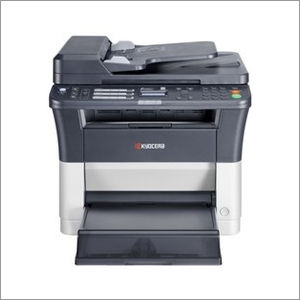
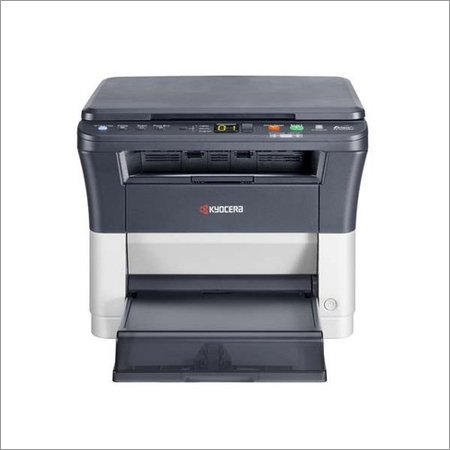
We introduce ourselves as the topmost supplier of Kyocera FS 1120 that is capable of performing ADF and fax functions other than professional quality print and scan. This machine is manufactured by our dexterous professionals using quality-tested components and sophisticated techniques in conformance with international quality standards. Also, it is precisely checked on set qualitative parameters by our quality inspectors to ensure its flawless operations. Clients can avail this Kyocera FS 1120 at most reasonable prices within promised time frame.
Features:
-
Optimum performance
-
Less maintenance
-
Longer service life
-
20 pages per minute A-4 Size with ADF and Fax
-
Max. paper capacity of up to 250 sheets
-
Compact design, robust and reliable
-
Powerful controller with Standard 64MB RAM
-
Low power consumption
-
Long-life components
High-Quality and Efficient PerformanceExperience sharp monochrome prints with the Kyocera ECOSYS FS 1120, achieving resolutions up to 1800 x 600 dpi. This printer delivers a robust print speed of 20 pages per minute on A4 paper, ensuring swift document handling for busy offices. Its impressive first copy time of 8.5 seconds means youll never have to wait long for urgent documents.
Versatile Paper and Handling OptionsSupporting a wide range of paper sizes from A4 to Legal and weights between 60 to 220 g/m, the FS 1120 can handle diverse office needs. With a 250-sheet input capacity, it reduces the frequency of refills, streamlining your workflow. Its electrophotographic process and 256-level grayscale guarantee professional results every time.
User-Friendly Design and CompatibilitySet up and operate with ease thanks to the intuitive LED indicator display and USB 2.0 interface. Compatible with Windows XP through 10 and Mac OS X, the device integrates smoothly with common office environments. Its Energy Star certification emphasizes energy conservation, supporting eco-friendly operations.
FAQs of Kyocera ECOSYS FS 1120:
Q: How do I connect the Kyocera ECOSYS FS 1120 to my computer?
A: You can connect the Kyocera ECOSYS FS 1120 using the USB 2.0 port provided. Simply use a USB cable to connect the printer to your computer. Ensure that you have the necessary driver installed, which is available for Windows XP/Vista/7/8/10 and Mac OS X.
Q: What types and sizes of paper are compatible with the FS 1120?
A: The FS 1120 supports a range of paper sizes including A4, A5, A6, B5, Letter, and Legal, and can handle paper weights from 60 to 220 g/m. This versatility makes it suitable for various office printing tasks such as documents, forms, and reports.
Q: When should I perform maintenance or servicing on this printer?
A: Routine cleaning is recommended every few weeks, especially in high-use environments. For deeper maintenance or issues, refer to the manufacturers guidelines or contact an authorized Kyocera service provider in India.
Q: Where can I purchase consumables and get support for the FS 1120 in India?
A: Consumables, accessories, and technical support for the FS 1120 are available through Kyocera authorized distributors, importers, suppliers, and service providers across India. You can check Kyoceras official website for local vendor details.
Q: What is the process for scanning documents using this machine?
A: To scan, ensure the software is installed and the printer is properly connected to your computer. Use the scanning utility provided with the device to initiate scans up to 600 x 600 dpi resolution, suitable for detailed grayscale images and text.
Q: How does the FS 1120 benefit offices concerned with energy efficiency?
A: The FS 1120 is Energy Star certified, meaning it is designed to minimize energy consumption during printing and standby modes. This not only reduces your offices carbon footprint but also helps manage electricity costs.
Q: What usage scenarios is the FS 1120 best suited for?
A: This printer is ideal for small to medium offices that require reliable monochrome printing, copying, and scanning. With a monthly duty cycle of up to 10,000 pages and swift print speeds, it is designed for environments needing consistent document processing.









 Send Inquiry
