Product Description
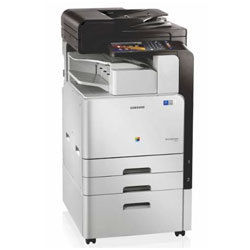
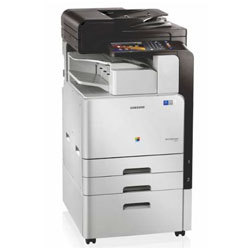
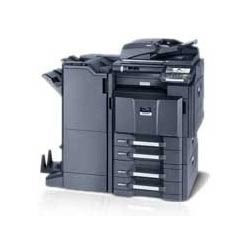
Samsung photocopier Dealers in Hyderabad
(MultiXpress C9201NA Colour Copier Machine)
Standard Features :
- Copy speed: 20 PPM
- A3 Network Colour Printer
- A3 Network Colour Scanner
- Standared Duplex & RADF (100 Papers)
- 320 GB HDD
- 1 Ghz Dual Core Processor, 1 GB DDR 3 Memory
- First copy out time: 7.9 (Mono) 9.5 (Colour) sec approx.
- Continues Copies: Up to 9,999
- Maximum original size: A3
- Control panal: 7" Colour Touch Panel LCD
- Mobile print & Scan support
- Standared two Trays (520x2) Bypass - 100 Sheets
- Easy to install and operate
- Power consumption: 1500W or less
- Zoom: 25 - 400% (Adjustable in 1% steps)
- Toner Yield -20,000 Pages (B/W) 15,000 Pages (Colour)
- Drum Unit Life Up to 50,000 Copies*
Efficient Document ManagementStreamline your office operations with Samsung photocopiers, engineered for high-speed and consistent output. These devices cater to heavy workloads with a monthly duty cycle of up to 20,000 pages and handle everything from quick ID card copies to multi-page documents, thanks to advanced memory and impressive zoom capabilities.
Advanced Compatibility & ConnectivitySamsung photocopiers seamlessly integrate into your existing IT infrastructure, with native support for Windows and Linux systems. The USB 2.0 connectivity ensures smooth and secure data transfer, while the intuitive LCD screen simplifies daily tasks and reduces operational learning curves.
Versatile Paper Handling & FinishingAccommodating paper weights from 60-120 gsm and multiple document sizes, Samsungs photocopiers offer flexibility with features like manual duplex, N-up Copy, and options for sorting and collating. The multipurpose tray further enhances adaptability, making them ideal for diverse office requirements.
FAQs of Samsung photocopier Dealers in Hyderabad:
Q: How do I utilize the Samsung photocopiers manual duplex printing feature?
A: To use manual duplex printing, select Manual Duplex from your print settings on your Windows or Linux device. The machine will prompt you when its time to reinsert pages for printing on the reverse side, ensuring accurate double-sided documents.
Q: What operating systems are supported by Samsung photocopiers in Hyderabad outlets?
A: These photocopiers are compatible with both Windows and Linux operating systems, providing versatility for various office environments and IT infrastructures.
Q: When is the ideal time to perform maintenance on my Samsung photocopier?
A: Regularly scheduled maintenance is recommended after every high-volume print cycle or when you notice a decrease in print quality. Given the monthly duty cycle of up to 20,000 pages, periodic servicing enhances longevity and reliability.
Q: Where can I purchase Samsung photocopiers with these specifications in Hyderabad?
A: You can find authorized Samsung photocopier dealers, distributors, importers, and service providers across Hyderabad. They offer product installation, demonstrations, and after-sales support.
Q: What is the process for scanning documents using this photocopier?
A: Place your document on the scanner bed, select the desired scan resolution up to 600 x 600 dpi, choose the file format, and initiate the scan using the intuitive LCD display. The scanned document can be seamlessly transferred via USB connectivity.
Q: How does the multipurpose tray benefit my office workflow?
A: The multipurpose tray supports various paper sizes and types, allowing quick switching for different document needs such as letterheads, envelopes, or heavier stock, thereby reducing manual adjustments and increasing efficiency.
Q: What are the main advantages of using Samsung photocopiers in a busy office environment?
A: Key benefits include rapid print and copy speeds (23 ppm), robust memory for multitasking, reliable manual duplexing, and comprehensive finishing options like sort, collate, and customizable zoom functions. Their low noise level and swift warm-up time contribute to a productive and comfortable workspace.









 Send Inquiry
