Product Description
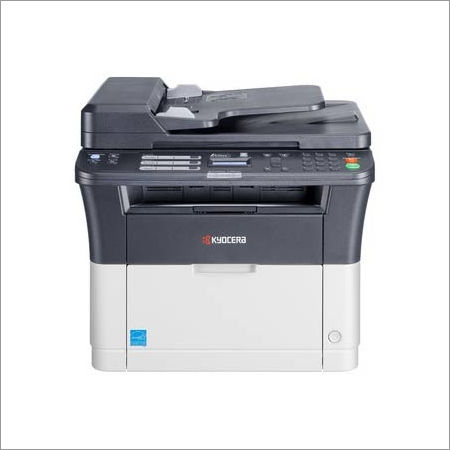
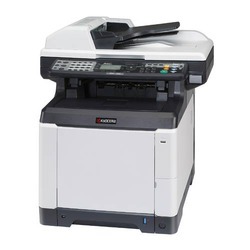
We supply highly advanced Kyocera FS 1025 MFP that is designed with 2-line LCD display for clear messages and ease of operations. The offered machine is specifically designed for print, fax and copy applications. Provided machine is manufactured at our vendors' end using top-notch quality components and avant-garde techniques as per set industry standards. Furthermore, this Kyocera FS 1025 MFP can be availed from us at marginal prices within committed time frame.
Features:
Attributes:
-
Print
-
Colour Scan
-
Copy
-
Standard Duplex
-
Network Printer
-
Low Power Consumption
-
Low Copy Cost
-
Long Life Components
Specifications:
-
Up to 25 pages per minute in A4
-
Automatic duplex print capability
-
USB and network connectivity as standard
-
2-line LCD display for clear messages and ease of use
-
Very compact size and small footprint
-
Highly reliable thanks to long-life components
-
Highest toner yield in its class
-
Exceptionally low printing costs
Efficient Performance for Dynamic WorkspacesThe Kyocera FS 1025 MFP is engineered to support fast-paced office routines. With its 25 pages per minute output and rapid warm-up time (less than 20 seconds), your documents are ready precisely when needed. The devices 400 MHz processor and 64 MB memory help minimize lag, enabling smooth multitasking whether printing, scanning, or copying.
Versatile Paper Handling and Compact DesignFlexibility is at the core of the FS 1025 MFP, accommodating several paper sizesA4, A5, A6, Letter, Legal, Folioand weights from 60 to 163 g/m. Despite its solid capabilities, the printer is conveniently compact, measuring just 390 x 361 x 362 mm and weighing approximately 8 kgperfect for offices with limited space.
Quiet and Cost-Effective PrintingOperating below 52 dB(A) during print jobs, the FS 1025 MFP minimizes disruption in any workspace. The efficient electrophotographic laser technology ensures not only sharp monochrome prints but also helps lower overall operational costs, making it a smart investment for organizations in India seeking reliability and economy.
FAQs of Kyocera FS 1025 MFP:
Q: How do I connect the Kyocera FS 1025 MFP to my computer?
A: The FS 1025 MFP connects using a USB 2.0 interface. Simply use a compatible USB cable (not always included) to connect the printer to your computer. Ensure the proper Windows drivers are installed for seamless operation.
Q: What benefits does the 1200 dpi print resolution offer?
A: With a maximum print resolution of 1200 dpi, the FS 1025 MFP delivers exceptionally clear and detailed monochrome documents, making it ideal for professional reports, text, and grayscale graphics.
Q: Which operating systems support the FS 1025 MFP?
A: This model is compatible with Windows operating systems, including XP, Vista, 7, 8, 8.1, and 10, ensuring broad utility across most modern office setups.
Q: What is the recommended process for high-volume copying?
A: For high-volume copying, ensure your paper supply matches the required weight (60163 g/m) and size (A4, A5, A6, Letter, Legal, or Folio). The continuous copying speed is 25 copies per minute, maintaining efficiency without sacrificing quality.
Q: Where can the FS 1025 MFP be purchased or serviced in India?
A: You can obtain the Kyocera FS 1025 MFP through authorized distributors, importers, manufacturers, service providers, suppliers, or traders throughout India. Service centers are also available for maintenance and support needs.
Q: When is the best time to perform maintenance on the device?
A: Routine maintenance is best conducted during periods of low activity or according to the printers usage metrics, particularly if you approach the monthly duty cycle limit of 20,000 pages. Regular checks ensure consistent performance and longevity.
Q: What is the noise level of the FS 1025 MFP during operation?
A: The FS 1025 MFP operates at a noise level below 52 dB(A) during printing, making it suitable for environments where minimal disruption is crucial.









 Send Inquiry
